SOC Automation
AI agents triage, investigate, and respond. Analysts stay in control.
SOC automation on Kindo, the AI agent management platform: agents work the alert queue on top of your SIEM and EDR. Containment waits for an analyst. Every step lands in one record.
SIEM
Impossible-travel sign-in
user a.rivera · new country · 02:14
Repeats of this alert collapsed by Deep Hat SIFT
Agent verdict
Actionable · High
Sign-in from a new country 40 minutes after an office login. Same session opened the finance file share.
Identity
No MFA on session
CMDB
Finance share · critical
Intel
IP on reputation list
EDR
2 related alerts on laptop
Waiting for analyst
SecOps policy
Disable a.rivera and isolate laptop FIN-LT-114?
Approve
Decline
Audit Trail · alert · evidence · rationale · approver · action · cost
Your SIEM and EDR stay
Analyst-scoped permissions
Approval gates
Air-gapped supported
What is SOC automation with AI agents?
SOC automation is AI agents doing the SOC’s repeatable work after the alert: triage, enrichment, investigation, and response. On Kindo, an AI agent management platform, that means Kindo’s pre-built SOC agents, workflows your team builds in Agent Builder, or agents you already run, governed through Kindo.
Not the same as
SOAR playbooks
Branches written in advance. Break when a tool changes.
Not the same as
An AI SOC point product
Another console, its own model, its own log.
This page
Governed agents on your tools
Agents reason. Analysts approve. One record.
Why does SOC automation need a control layer?
Alerts outpace analysts, context sits in five consoles, and response is expected faster than people can move. Agents close that gap only if four things are true before they run.
Analyst-scoped
Inherits its operator’s rights from Okta, Entra, or LDAP.
Governed access
Which sources, which model, which DLP. Set by an admin.
Approval gates
Before anything that isolates, disables, or blocks.
One record
Evidence, rationale, approval, action, cost.
1 in 3
A task of ten agent calls at 10% error each completes about a third of the time, Gartner illustrates.
Kindo’s view: gate before the action, not a score after it.
Source: Gartner, Use Guardian Agents to Govern Autonomous AI Systems, September 2026.
What SOC problems does Kindo solve?
Six places analyst time goes today. A governed agent takes each; your tools stay.
Problem
Fragmented context
Alert in the SIEM. Host in the EDR. User in the directory.
Kindo → Triage agents pull it into one view through the AI Data Gateway.
Splunk, CrowdStrike, Palo Alto Networks, Okta, Microsoft, connected as sources.
Problem
Repetitive enrichment
Same lookups, by hand, every alert, network alerts included.
Kindo → Reputation, geolocation, vulnerability state, prior incidents: looked up and cited.
Your intel feeds stay.
Problem
Unclear priority
Hundreds of look-alikes. Judgment never written down.
Kindo → Scored against asset criticality, identity risk, and threat intel, with a written rationale an analyst can check.
Problem
Inconsistent response
The next step depends on the shift.
Kindo → Response prepared the same way every time.
Consequential steps wait for the analyst.
Problem
Thin handoffs
Evidence in chat. Timeline in someone’s head.
Kindo → Case, evidence, owner, drafted report. Tickets to ServiceNow or Jira.
Case management stays the system of record.
Problem
Alert storms
One bad rule. Ten thousand alerts. An agent run for each.
Kindo → SIFT withholds known-benign repeats once a person approves.
The SIEM still stores every alert.
What will your SOC gain from Kindo’s AI agent management platform?
A SOC that resolves incidents, not just detects them. Time goes to judgment, response is the same every shift, evidence is ready before anyone asks, and AI spend is visible.
Analyst time
Time on judgment, not lookups
Context gathered and correlated before an analyst opens the alert.
Consistency
The same response every shift
Every response prepared and gated the same way, whoever is on.
Evidence
Ready before anyone asks
Every alert, approval, and action already on record for audit and handoff.
Cost
AI spend you can see
Every token the SOC’s agents use, attributed by workflow and team.
How does Kindo run AI alert triage and response?
Kindo connects to the security tools you already run, then works each alert in five recorded steps, with every agent limited to the permissions of the person who runs it.
One-time setup · Kindo connects to
SIEM
EDR
Firewall and network logs
Identity provider
CMDB
Threat intel
Ticketing
Every connection runs through Kindo’s AI Data Gateway, and each agent’s permissions come from your identity provider, so an agent can reach only what its analyst can.
Alert triage
AI alert triage and investigation
1
Triage the alert
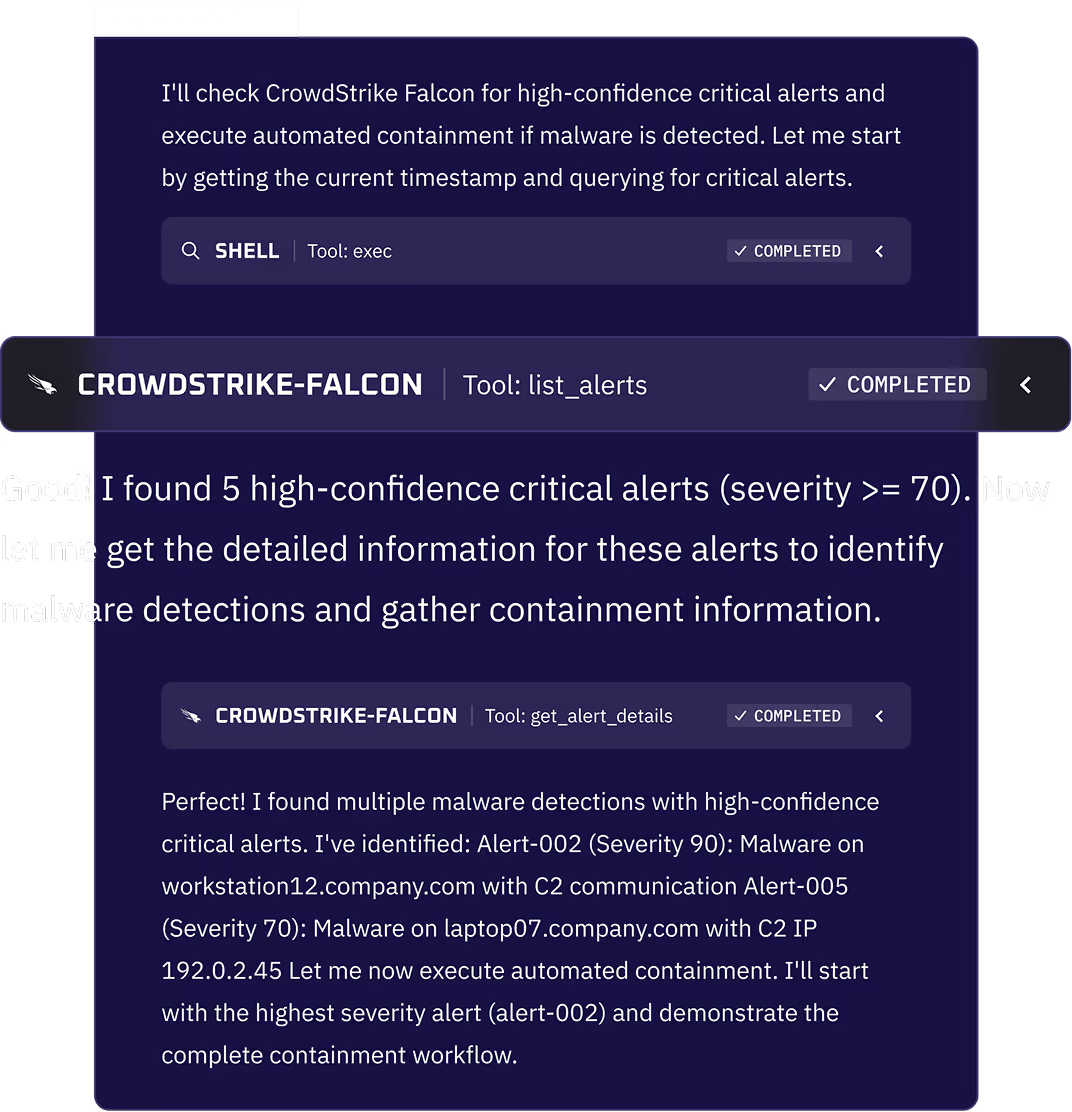
The agent reads the alert, pulls identity and asset context, and scores it with a written rationale. Repeats are collapsed upstream by SIFT.
2
Investigate
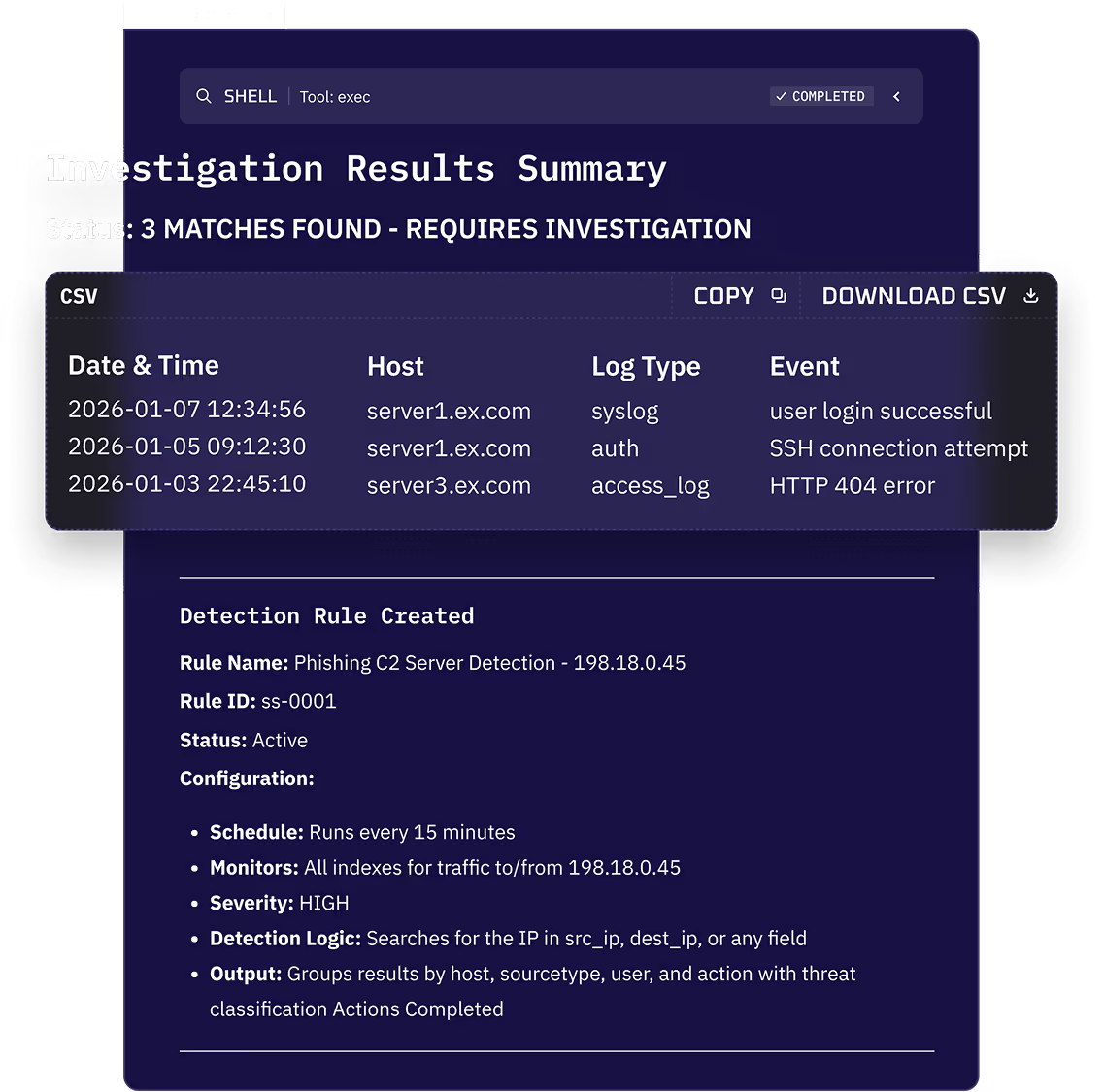
Alerts, logs, and identity events correlated into one timeline: entry point, scope, impact, each tied to its evidence.

3
Review the findings
The analyst sees the matches and the reasoning, then asks for more work or approves the next step.
Incident response
AI incident response: contain, verify, report
Validated findings escalate from SOC to IR in the same record, worked by the same agents under the same gates.
4
Contain, with approval
The agent proposes the containment plan and stops. Nothing that isolates, disables, or blocks runs until an analyst approves.
Waits for an analyst · set per Group
Isolate a host
EDR
Disable an account or revoke a session
Identity provider
Block an indicator
Firewall or proxy
Declined steps never run. The decline is recorded with the approver.
5
Verify, report, close
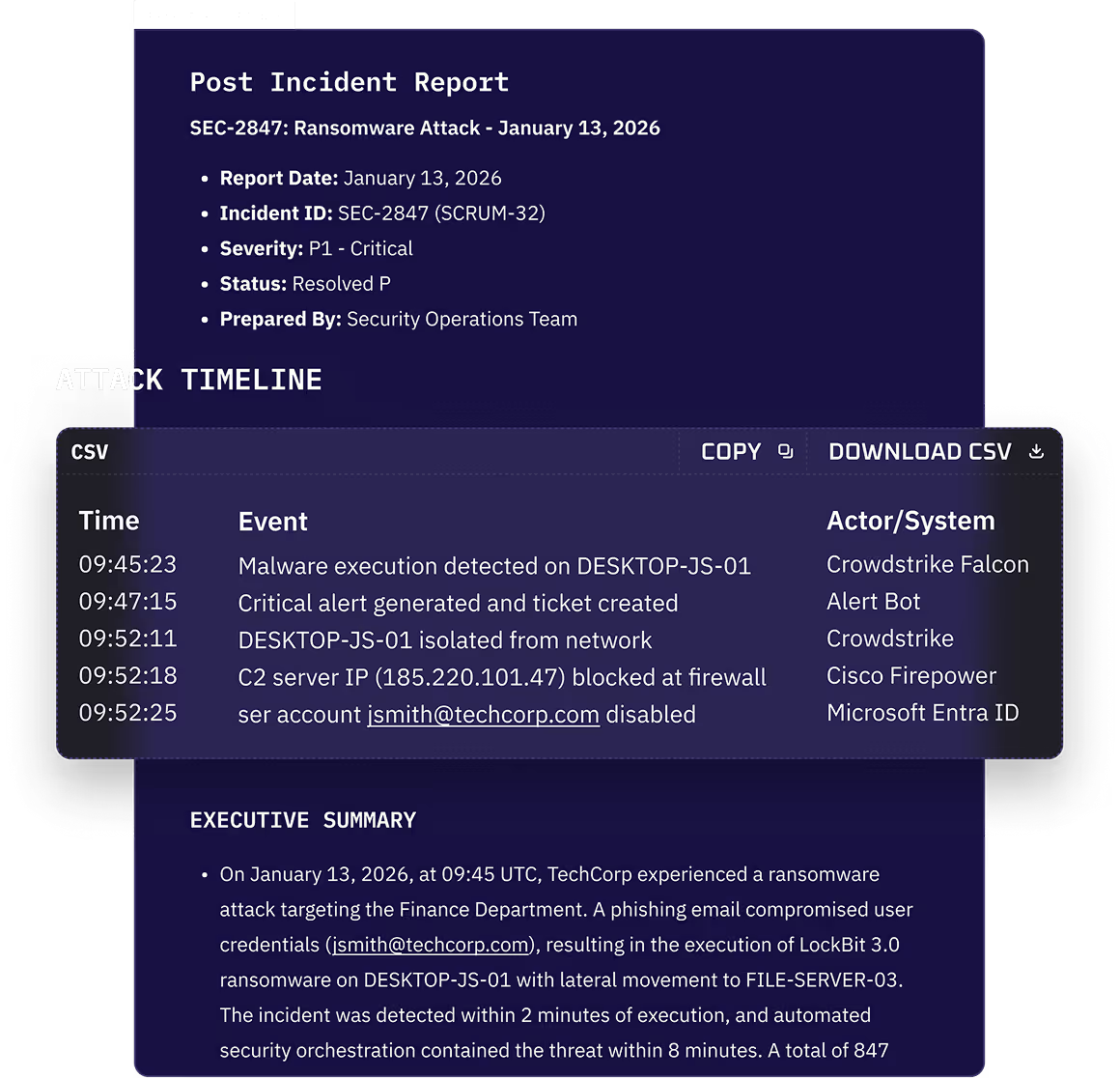
The approved action runs through your tool and the outcome is checked. The post-incident report is drafted from the record.
Beyond the alert queue
AI threat intelligence
A weekly summary, scored to your environment
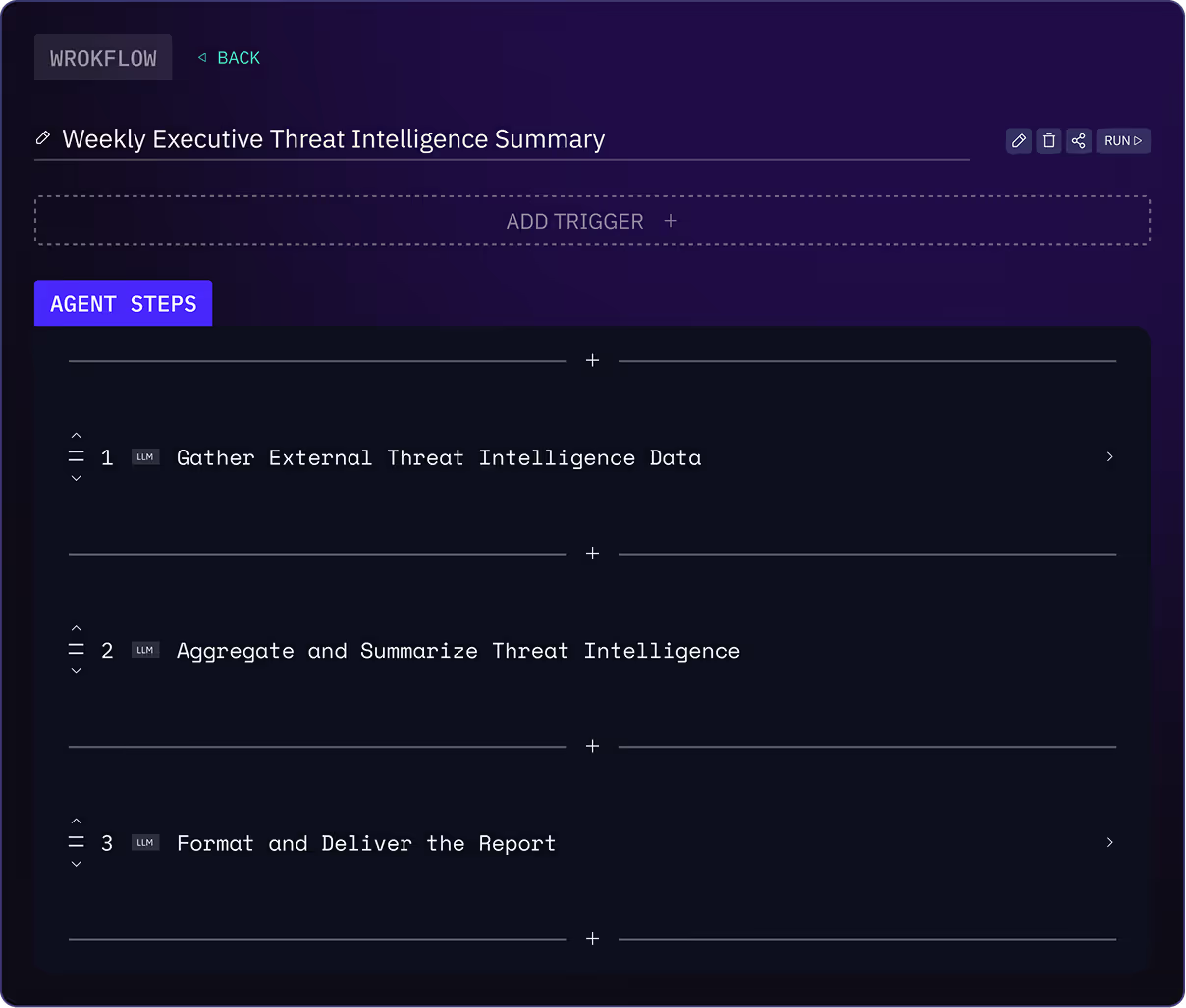
On a schedule, agents gather feeds and advisories, match indicators to your alerts, explain the campaigns and techniques behind them, and deliver an executive summary with the defensive actions it implies.
Which agents get which controls
Any agent · through the gateways
Analyst-scoped access
Policy and DLP
Model choice per step
Cost attribution
Call-level record
Revoke or block
Kindo’s pre-built agents, in the harness · plus
Approval gates mid-run
Pause and resume
Full action record
SIFT filtering
24x7 operational support
Who is SOC automation on Kindo for?
CISOs and SOC leads who want AI working the alert queue without giving up the decision, with security engineering, Finance, and Compliance alongside.
Who’s involved
CISO and SOC lead
Choose the work, set the gates
Pick the first workflow, decide which actions wait for an analyst, and own the outcome.
Security engineering and IT
Connect the tools
Connect the SIEM, EDR, identity provider, and ticketing, and set who can run which agents.
Finance and Compliance
Review cost and the record
Track AI spend by team and use the Audit Trail as evidence for audits.
A good fit when
Alerts arrive faster than the team can triage them
Response actions need an approver an auditor can see
Alert data has to stay in your environment
Why build your AI SOC on Kindo?
An AI SOC built on the tools you already run, with analysts in control and one record for every team.
Built on your stack
Works through the SIEM, EDR, identity, and ticketing you already run.
Analysts decide
Agents show their reasoning. Analysts approve every consequential action.
One record, four teams
IT, Security, Finance, and Compliance read the same history.
Your models, your deployment
Any approved model, including Deep Hat. Kindo cloud to air-gapped.
How do you get started?
See Kindo triage alerts from a SIEM like yours: a verdict with its reason, a gate stopping containment, the record left behind.
A platform purchase includes everything, every pre-built SOC agent and SIFT among it. The free shadow AI assessment is the only free offer.
Go deeper on SOC automation
Featured resource · TBD
TBD: a recorded triage-to-containment walkthrough
To be supplied. A real product walkthrough, not a sizzle video.
View resource →
Frequently asked questions about SOC automation
Can we use agents built outside Kindo?
Yes. Point them at Kindo’s gateways for governed data and model access, cost attribution, and a call-level record. Approval gates, pause and resume, and the full action record apply to agents in Kindo’s harness or ported in.
Can analysts approve actions before they run?
Yes. An admin sets which actions gate, per Group. A declined step never runs, and the decline is recorded with the approver.
Which models can we use? Does alert data leave our environment?
Any model your admin approves, including open-weight models and Deep Hat, Kindo’s cybersecurity model, with a different model per step if needed. Kindo runs in Kindo cloud, your cloud, on premises, or air-gapped, so alert data can stay inside your environment.
What happens in an alert storm?
Deep Hat SIFT learns from the agent’s verdicts which alerts it dismisses and, once a person approves a threshold, stops starting runs for them. A 3% sample is still sent so the miss rate is measured. Every withheld alert stays on record.
Can we build our own SOC workflows?
Yes. Start from Kindo’s pre-built SOC agents or build operator-defined workflows in Agent Builder, with the same gates, permissions, and record. Kindo’s team can set them up with you.
How do we choose the first workflow?
Pick a repeatable task with clear inputs, permitted actions, and a reviewing owner. Alert triage from one SIEM or EDR source is the usual start.