The Enterprise AI Control Center · Platform
One AI agent management platform. Your enterprise in control.
Build agents in Kindo, manage agents built elsewhere, and set the rules for how agents use data, models, and tools. An AI Data Gateway, an AI Model Gateway, and Role Based Access Control sit between every agent and what it reaches.
ANY AGENT · ANY MODEL
MCP DATA GATEWAY
OKTA · ENTRA · LDAP
CLOUD · VPC · ON PREM · AIR-GAPPED
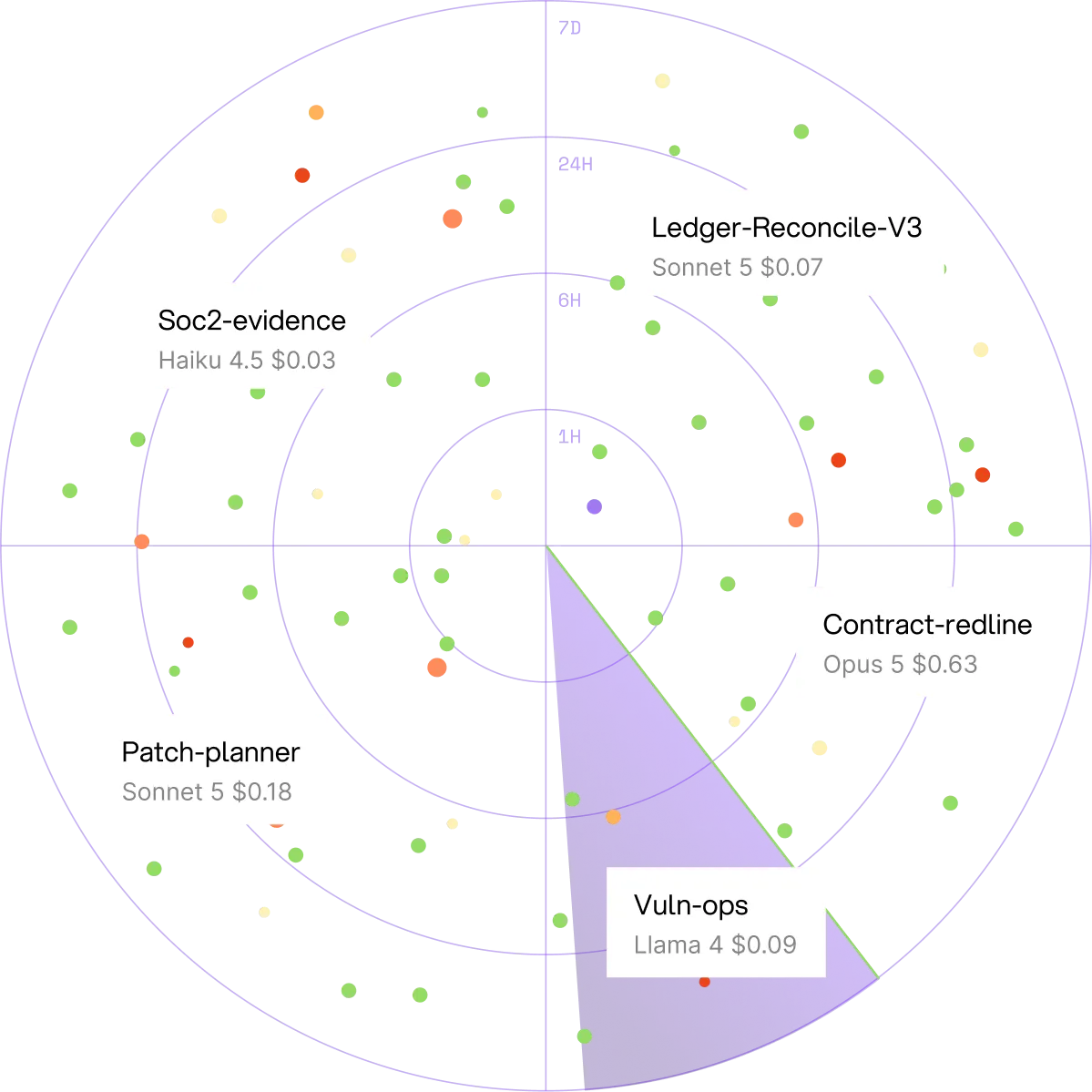
What is Kindo?
Kindo is an AI agent management platform: one place to build agents, manage agents built elsewhere, and set the rules for how every agent uses data, models, and tools. It sits between agents and what they reach, so IT, Security, Finance, and Compliance set policy once and see what every agent did and cost.
Build
Agents in Kindo
Agent Builder, Action Chat, a library of pre-built agents
Manage
Agents built anywhere
Point existing assistants and harnesses at Kindo; no rebuild
Control
Data, models, and tools
Who may use which model with which data; every call recorded
Three core capabilities
The three core capabilities of the Kindo platform
The platform is built on three capabilities. All three are needed to control AI well, and all three run fully on premises.
AI Data Gateway
AI Data Gateway: policy on every data read and write
MCP-based. Hand-built servers, so every connector runs on prem.
Observes and controls each data flow when an employee or agent reads or writes a source: SaaS, files, databases, logs, finance, HR, every Security and IT tool.
Credentials: individual login through Kindo, or a Group- or company-level API key set by an admin.
Policy and DLP on each request and response, per Group, source, model.
Library weighted toward Security and IT. New connector: about a week. SDK for your own.
Controls data reads and writes
Enforces policy, DLP
Source of truth your systems
AI Model Gateway
AI Model Gateway: any model, under rules an admin sets once
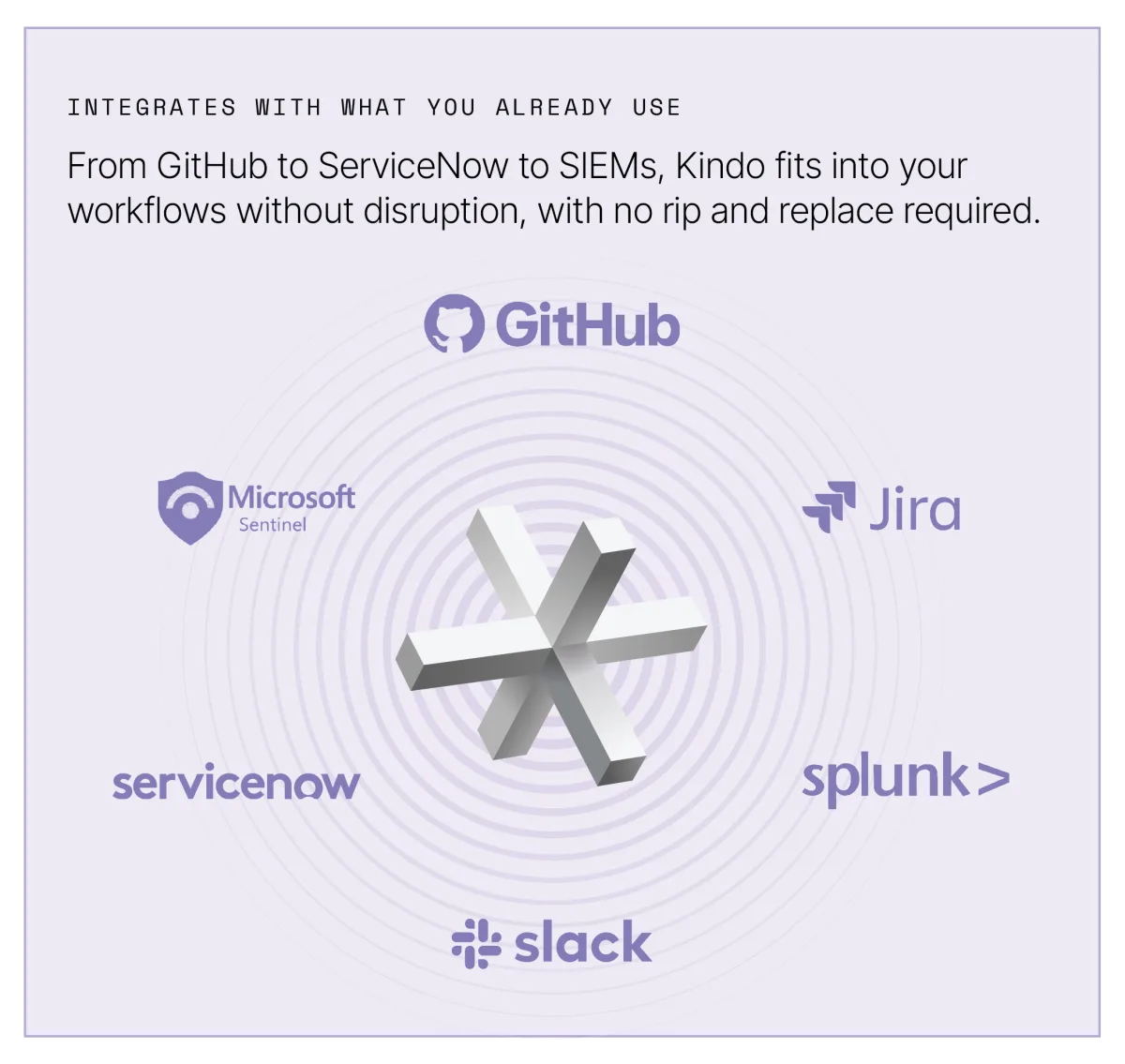
Frontier, open-weight, custom. Provider keys vaulted; agents never hold them.
Rules per model and per Group: which sources a model may see, which DLP filters apply. Every token metered.
DLP filters: presets, user-defined lists, regex. Both directions.
Large documents chunked. Swap models, or one model per step, without rebuilding the agent.
Your existing gateway (Databricks AI Gateway, Azure AI Foundry) can sit underneath as a provider.
Controls which model, for whom, with what
Enforces DLP; budget alerts
Meters every token
.webp)
Identity and Access Control
Identity and Access Control: agents inherit their operator's permissions
Role Based Access Control (RBAC). The piece that turns seeing into controlling.
Who each employee is, which Group, what they may do. Users and Groups import from Okta, Microsoft Entra, or LDAP; the IdP stays authoritative.
Kindo issues and revokes its own keys. Revoke a key, block a model, deny a source: one action.
Harness agents: credentials per run. Third-party keys persist until revoked.
Secrets managed inside the connection where the tool supports it.
Controls who, and which agent acts for them
Enforces inherited permissions
Source of truth your IdP
Data gateway
+
Model gateway
+
RBAC
=
Control. Any one alone sees traffic.
Solutions by use case
Six use cases built on the platform
Start with the one that needs attention.
Shadow AI Discovery
Discovery agents read CASB, EDR, firewall, expense, endpoint sources. Output: the registry.
Free assessment →
AI Agent Sprawl
One registry, one policy, one record for agents built anywhere.
Free assessment →
AI Cost Control
Metering at the model gateway; budget alerts, per-step models, run avoidance.
Get a demo →
Air-Gapped and Sovereign AI
All three capabilities and local models inside your environment. No external calls.
Get a demo →
SOC Automation
Triage, enrichment, gated response on your SIEM, EDR, SOAR. Deep Hat SIFT tames alert storms.
Get a demo →
Pentest and Security Testing
Authorized, human-in-the-loop, in the harness, with Deep Hat, Kindo's cybersecurity model.
Get a demo →
Why do AI agents need a control layer?
AI agents need a control layer because an agent reaches models and data with whatever credentials its builder had, and nothing in that path evaluates policy, enforces it, or records it. Kindo puts that control at a shared gateway that knows who is asking.
In the network
Proxy, CASB, firewall
Sees traffic. Not identity, not data semantics, not cost. Stays in place as a source.
Inside each builder
The harness's own controls
Its own agents only. Five builders: five policies, five logs. Built for builders, not controllers.
Shared gateway with identity
Kindo
Every call from any agent: resolve user, Group, owner; evaluate policy and DLP; meter; record once.
What does Kindo enforce for AI agent governance?
Kindo enforces four controls for AI agent governance that no gateway, builder, or network tool provides together: a policy point on every data read and write, an identity for every agent, attribution of every token, and one record across builders.
Data
Policy on every read and write
Model gateways see model calls; data goes around them. AI Data Gateway closes that.
Identity
An identity for every agent
Gateways know keys, not people. RBAC ties each agent to an operator and Group.
Cost
Every token attributed
One invoice, no owner. Metered to agent, owner, Group; budget alerts.
Record
One record across builders
Each tool logs itself. One Audit Trail; action-level with approvals in the harness.
Your systems stay systems of record; your IdP stays authoritative; SIEM, SOAR, and GRC stay in place. Mechanisms above; request path below.
How does Kindo process every agent request?
Kindo processes every model or data request the same way: the agent presents a Kindo-issued key, Kindo resolves it to a user, Group, and owner, evaluates policy and DLP, forwards the call, and records the decision and cost. Agents in Kindo's harness add execution controls on top.
Platform architecture
Platform architecture: two ways agents connect to Kindo
Conceptual, not a product screenshot.
Two ways in
Path 1 · Existing agents and assistants
Kindo as model endpoint and MCP server, with a Kindo key. Every call follows the request path below.
Path 2 · Agents running in Kindo
Built in Agent Builder or ported in. Same request path, plus the harness runtime below.
Kindo · identity + policy
Three core capabilities
Identity and Access Control (RBAC)
AI Data Gateway (MCP)
AI Model Gateway
Policy engine · DLP · key issuance · metering · Audit Trail
What they reach
Connected data and tools
Via hand-built MCP servers
Permitted models
Frontier, open-weight, custom; your gateway as a provider
One record
Usage, cost, decisions; read by four teams
Kindo cloud · your cloud or VPC · on premises · air-gapped
Path 1 · connecting what you already run
How Kindo fits an existing AI gateway and stack
How each thing in a typical stack takes path 1.
Your AI gateway
Databricks AI Gateway or Azure AI Foundry as a provider inside Kindo; Kindo's controls in front.
Copilot Studio
Kindo registered as a model family in Azure AI Foundry; agents select it; traffic passes the gateway. No model API of its own, so this is the control point.
Developer harnesses
Claude Code, LangChain, and similar: a Kindo key and Kindo endpoints as model and MCP config.
Identity
Okta, Microsoft Entra, LDAP. IdP stays authoritative.
Security tooling
SIEM, EDR, CASB, firewall logs: sources for discovery, context for agents. Not replaced.
Both paths · the request path
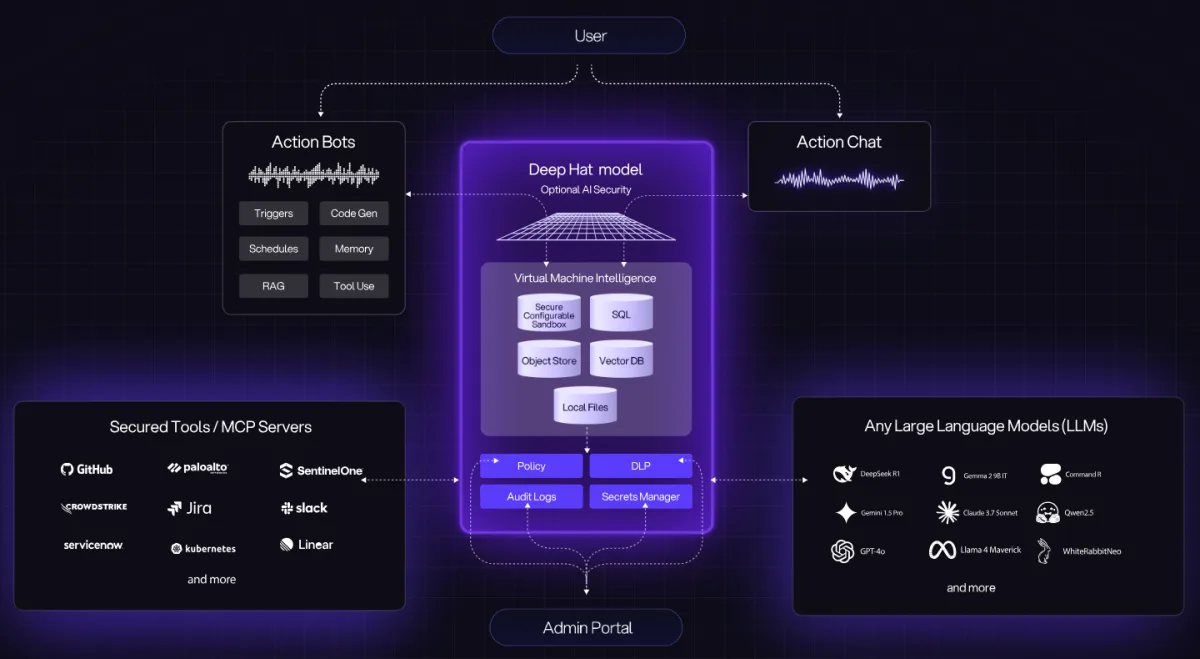
The request path: six steps for every agent call
The agent is configured with Kindo's endpoints as its model API and MCP server, and a Kindo-issued key. From then on every model request and every data or tool request takes this path. Policy is decided at 3 and 4; a deny returns to the agent and is recorded, and never reaches the provider or the source.
1 · Key
Key presented
Kindo-issued key in the request header. Provider and source credentials stay vaulted in Kindo.
2 · Identity
Identity resolved
Key → agent, operator, Group, owner. Permissions are the operator's, from Okta, Entra, or LDAP.
3 · Policy
Policy evaluated
Model allowed for this Group? Source allowed with this model? Any no: deny.
4 · DLP
DLP applied
Filters attached to the rule run on the request; on the response when it returns. Redact or block.
5 · Forward
Forwarded
To the model provider, your gateway as provider, or the MCP server for the source, with Kindo's credential.
6 · Record
Recorded
Decision, DLP action, tokens, attribution. Audit Trail and Agent FinOps.
Illustrative trace · one call · not product output
IN
Developer harness → agent triage-bot · model request + MCP read on Splunk
1 KEY
kindo-key ····a91f · valid · issued to triage-bot
2 IDENTITY
operator j.smith · Group SecOps · owner SOC lead · permissions inherited from j.smith (Okta)
3 POLICY
model Provider A for SecOps → allow · Splunk with Provider A → allow
4 DLP
request: 1 credential pattern (regex) → redacted · response: no match
5 FORWARD
Provider A via your Azure AI Foundry (as provider) · Splunk via Kindo MCP server, SecOps Group key
6 RECORD
1,842 tokens in · 310 out · attributed triage-bot / j.smith / SecOps · decision allow · DLP redact 1 · 14:02:17Z
ALT
Same call to Provider B: step 3 → deny (not allowed for SecOps) · returned to agent · recorded · never forwarded
Product walkthrough to record · A13
Watch the request path in the product
About two minutes, real UI, no narration over slides: an agent's call resolves to its operator and Group, policy allows one model and denies another, DLP redacts a credential, and the record lands in the Audit Trail. Then a harness run pauses at a gate until a named person approves.
A14 · screen
Policy decision
The allow and the deny for the same agent
A15 · screen
DLP redaction
Request before and after the filter
A16 · screen
Gate waiting for approval
Run paused, approver named
Both paths · the record
What the Audit Trail records for each call
One record per call for any agent; harness runs add the action-level columns.
Field
Gateway call · any agent
Harness action · agents in Kindo
Who
agent · operator · Group · owner
+ approver of any gated step
What
model or source · request type
+ step, tool action, run
Decision
allow / deny · DLP action
+ gate outcome, pause, resume
Cost
tokens in / out · attributed spend
+ per step, per run
Read by
IT, Security, Finance, Compliance, from one Audit Trail. Maps to NIST AI RMF and EU AI Act oversight expectations (mapping, not certification).
Path 2 · the harness runtime
The Kindo agent harness runtime
Agents built or ported into Kindo keep the request path and add execution control.
Harness adds
Step gates, pause and resume, in-run intervention, agent-to-agent inspection, action-level record, SIFT, 24x7 support. Per-run credentials.
Triggers
Operator request in Action Chat; event from a source; schedule.
Steps
Model reasoning and tool actions in sequence; a different model per step if wanted.
Gates
Run holds until a named person approves; approver written to the record.
Intervention
Pause, resume, inspect, adjust, stop, from the AI Operations Center.
Building
Agent Builder, Action Chat, open APIs. A library of pre-built agents ships with the platform.
Isolation
Being confirmed with product; not claimed here.
Path 2 · SIFT, run avoidance
Deep Hat SIFT: run avoidance for noisy event sources
Triage agents run once per event; on busy sources most runs find nothing. SIFT reads the source first, learns from the paired agent's verdicts, and, once a person approves a threshold, stops starting runs for events the agent would dismiss.
Input
Source events
One source, one existing integration
Stage 1
Always escalate
Rules that bypass scoring
Stage 2
Collapse repeats
Duplicates folded
Stage 3
Decide
Score vs. approved operating point; 3% leak-through
Stage 4
Shape delivery
Package what is sent
Output
Agent run
One event per run; verdict recorded
Learning
Gold set of ~50 human-checked events; agent verdicts (actionable, benign, insufficient data).
Shadow mode
Score all, send all, until a person approves an operating point with a written reason. Two approvals to activate.
Measurement
Recall and miss rate, never accuracy. 3% leak-through keeps the miss rate measured. No savings claim.
Fail open
Drift or breaching the hourly ceiling returns the filter to shadow. Every withheld event logged.
Footprint
Self-hosted; one Docker Compose host; CPU scoring; one Kindo API key; one tenant; 30-day retention; air-gapped via pinned weights.
Boundaries
Never writes or runs code. Local accounts, trusted perimeter. Not employee monitoring. Docs →
What do IT, Security, Finance, and Compliance get from the record?
IT, Security, Finance, and Compliance get four capabilities from Kindo's record: the Unified AI Registry, Agent FinOps, the AI Operations Center, and policy, DLP, and the Audit Trail.
The record
Every call.
One record.
Four teams.
Who asked, what they reached, what it cost, what was decided. Written at step 6, for any agent.
IT
Security
Finance
Compliance
Unified AI Registry
Every agent, its owner, and what it reaches. Find the unowned; assign an owner.
A08 · existing asset
AI estate inventory view
Agent FinOps
Spend by agent, owner, Group, and step. Budget alerts at the threshold you set.
A07 · product screen to supply
Usage and cost view
AI Operations Center
Run status and ownership for harness agents. Pause, adjust, stop; approve a gated step.
A06 · existing asset
Agent ownership card
Policy, DLP, Audit Trail
One trail of every human and AI action. Revoke a key or block a model in one action.
A07 · product screen to supply
Audit trail view
The Audit Trail maps to NIST AI RMF and EU AI Act oversight expectations (a mapping, not a certification). Sample values in product graphics are illustrative.
What workflows run on Kindo?
Kindo runs operational workflows for IT, Security, Finance, and Compliance teams using Kindo's pre-built agents, or agents you already run, governed through Kindo. Each depends on connected systems and permissions.
Security operations
Alert ingestion and correlation
Investigation and enrichment
Threat prioritization
Guided analyst response
Case management and handoff
SOC-to-IR escalation
Incident response
Multi-source incident context
Attack timeline analysis
Root-cause investigation
Severity assessment
Response-plan generation
Remediation verification and closure
Vulnerability management
Scanner ingestion and normalization
Risk-based prioritization
Vulnerability triage
Remediation-ticket automation
Ownership and asset context
Network security workflows
Network-log ingestion and parsing
IP reputation and enrichment
Suspicious-traffic review
Threat scoring
Triage summaries
Authorized containment, gated for approval
Governance, risk, and compliance
Control monitoring
Evidence collection and validation
Configuration and control-drift checks
Risk assessment
Remediation tasks and ownership
Audit reporting
Pentest and security testing
Authorized reconnaissance and enumeration
Adversary-technique simulation
Attack-path analysis
Privilege-escalation testing, gated for approval
Findings and evidence capture
Defensive remediation handoff
Threat intelligence
Feed ingestion and correlation
Campaign and TTP analysis
Environment-specific relevance
Analyst summaries
Actionable outputs
Detection and response integration
Identity lifecycle workflows
Joiner, mover, leaver
Privileged-access review
Access-request triage and approved provisioning
Dormant and orphaned account review
MFA and conditional-access checks
Identity reporting and audit records
Why choose Kindo as your enterprise AI control center?
Kindo is the control layer across all agentic work rather than a point solution inside one function: three capabilities together, any agent without a rebuild, one record for four teams. A gateway sees traffic. An operations center controls outcomes.
01
All three capabilities, together, on premises
Data gateway, model gateway, and RBAC in one product. Most alternatives have one, in their cloud.
02
Any agent, no rebuild
Point what you already run at Kindo. Your gateway, builders, and security tools keep their jobs.
03
One record, four teams
IT, Security, Finance, and Compliance read the same history instead of four tool logs.
Deploy anywhere
Where Kindo deploys: cloud, VPC, on premises, air-gapped
Credentials, data, and metadata stay with you. Never depend on one AI lab.
Kindo cloud
Popular models enabled; your provider keys.
Your cloud or VPC
Your account, region, boundary.
On premises
All three capabilities and every MCP server.
Air-gapped
No external calls; local models; SIFT weights pinned.
Identity
Okta, Microsoft Entra, LDAP.
Models
Any provider; open weights locally; existing gateway as provider.
SIFT
Separate service; one Docker Compose host; CPU.
Tenancy
Divisions, regions, JVs as tenants.

Integrations
Integrations: how Kindo works with your existing tools
Kindo reads your stack and acts through it. Nothing is replaced.
Sources
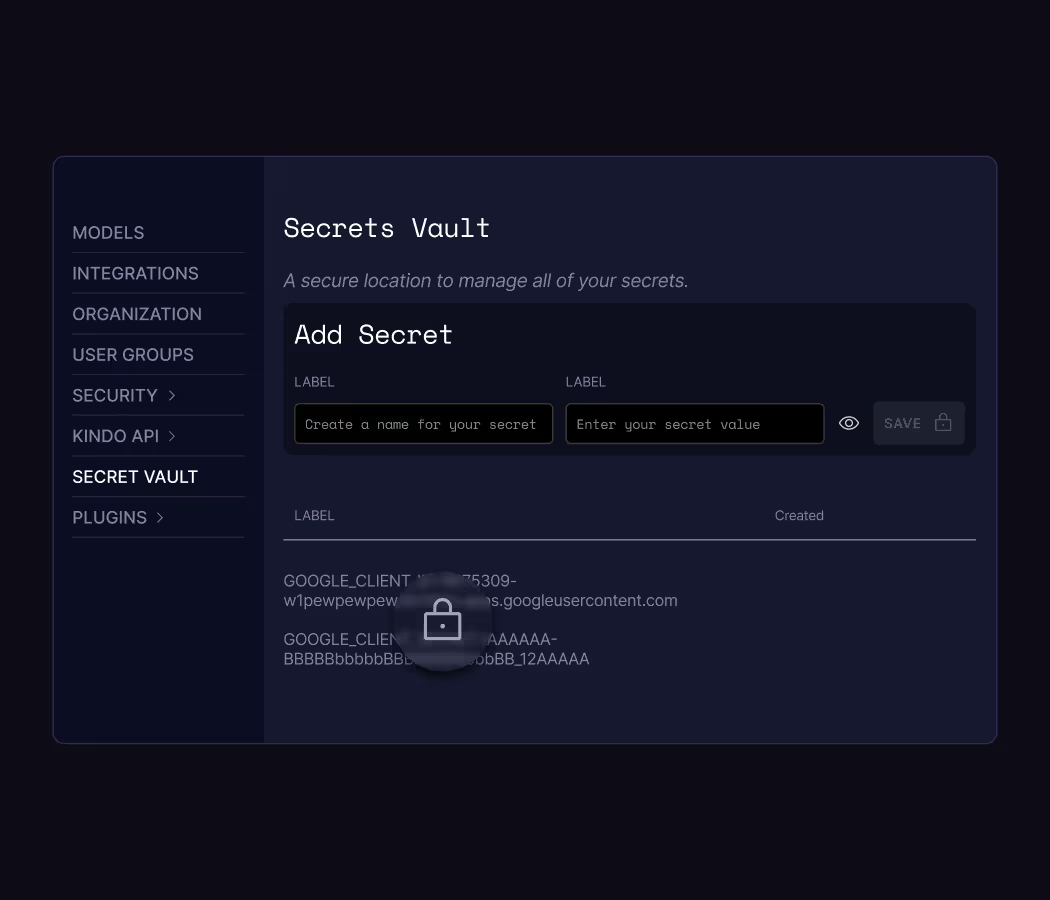
SIEM, EDR, CASB, firewall, expense, endpoint: discovery reads them to build the registry and agents read them for context.
Actions
ServiceNow, Jira, GitHub and others: agents act through them, gated where the action is destructive.
Identity
Okta, Microsoft Entra, LDAP: the source of truth for who may do what.
Named
Palo Alto Networks, CrowdStrike, ServiceNow, Splunk, Jira, GitHub, Okta, Microsoft, Cofense, and more. Tool catalog →
Deep Hat
Deep Hat, Kindo's cybersecurity model, for authorized security testing
Deep Hat, Kindo's cybersecurity model, runs inside the harness under the same RBAC, gates, and record as every other agent.
What it is
A model built for red teams and security operators: infrastructure, security, and incident-response context.
What it does here
Authorized, human-in-the-loop testing of your own environment: reconnaissance, attack-path analysis, privilege-escalation testing, findings and evidence, defensive handoff.
Why on the platform
Every step is scoped by RBAC, destructive steps wait for approval, and the full action record is the test report's evidence.
Also
The same model option is available to SOC, IR, and vulnerability workflows above. Pentest and Security Testing →
SOC 2 Type II. Supports ISO 27001, PCI DSS, HIPAA, GDPR, and NIST CSF. Controls and records support compliance work; they do not establish automatic compliance. Security and compliance →
How do you get started?
Request a Kindo demo to see one request pass identity, policy, and DLP, a gate stop a step in a harness run, and the record both leave behind. Or start with the free shadow AI assessment and build the registry first.
A platform purchase includes everything: three capabilities, harness, Action Chat, SIFT, and the pre-built agent library. The assessment is the only free offer.